Blurred Strum Plate Background

Strum Plate

Turn your mouse or pitch wheel into an Omnichord-like strumming interface.
A Free MIDI Effect by GCS.

Download (Free)

VST3 / AU / AAX / Standalone • macOS & Windows - No Email Required!

Separate Notes from Rhythm

Strum Plate is a MIDI Effect that decouples what you play from when you play it. Inspired by the touchplate interface of the classic Omnichord, it allows you to hold a chord with one hand and "strum" the notes into existence using your mouse or pitch wheel.

🎹

1. Hold a Chord

Press any chord on your MIDI keyboard. You won't hear sound yet—the notes are stored in a buffer, waiting for your command.

2. Strum the Plate

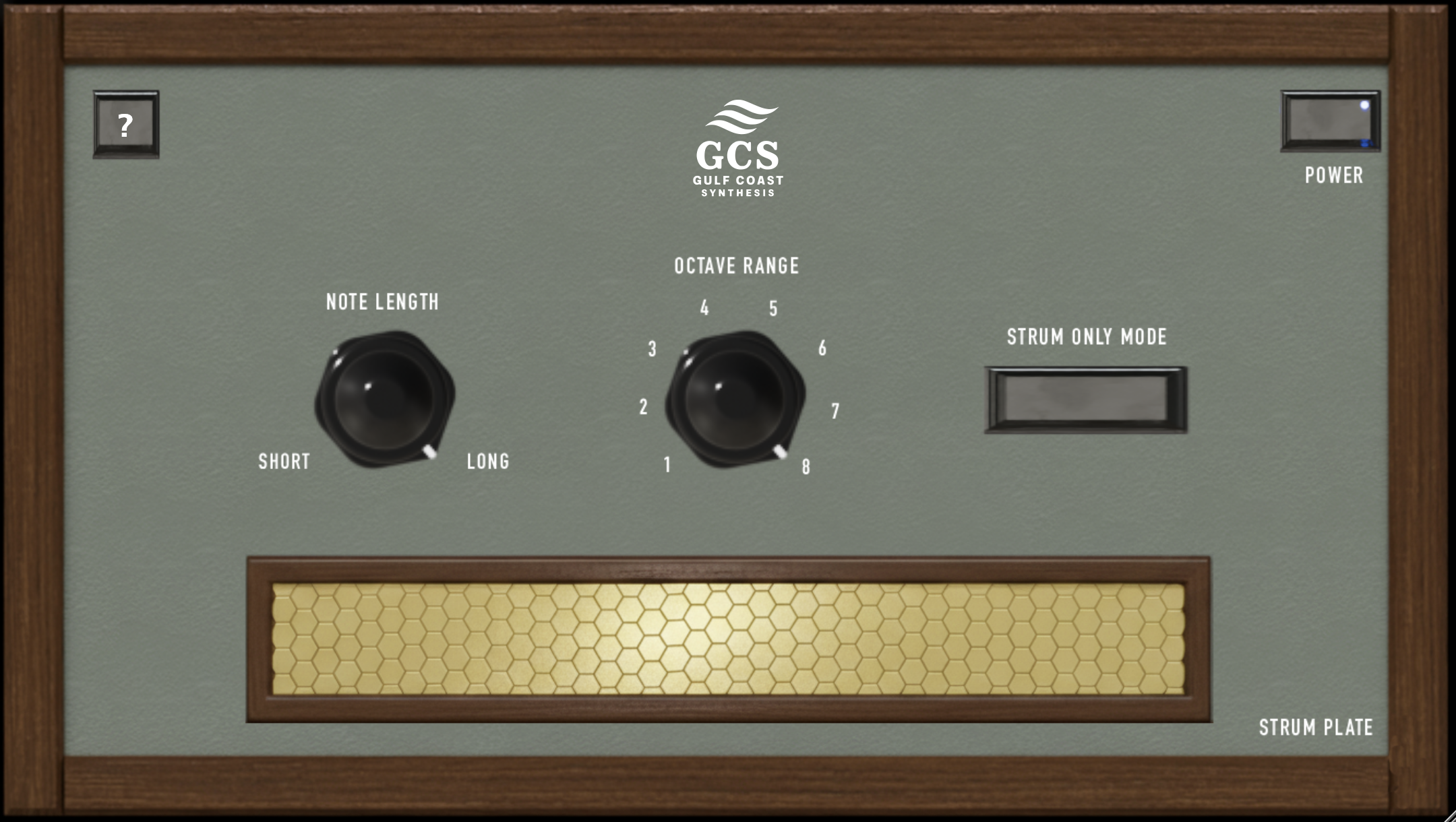
Swipe your mouse cursor across the on-screen Gold Plate (or use your Pitch Wheel). As you move, the notes of your chord are triggered in real-time.

🎛️

3. Shape the Sound

Use the Mod Wheel to dynamically change note length from tight plucks to long sustains. Use Octave Range to turn simple triads into massive harp runs.

Strum Plate Interface Close Up

Compatibility & Setup

Important: Strum Plate generates MIDI, not audio. Setup varies by DAW.

Pro Tools (2024+)

Pro Tools Setup

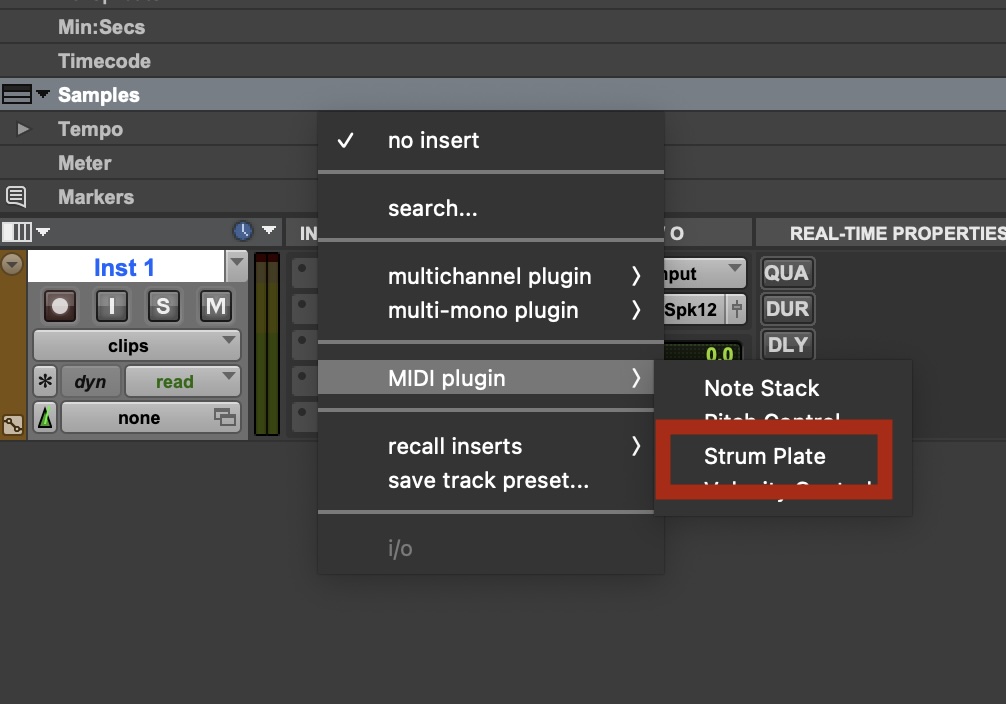
Create an Instrument Track. Load Strum Plate in the first insert slot (Insert A). Load your virtual instrument (e.g., GCS Spectral, Mini Grand) in the second slot (Insert B).

Logic Pro

Logic Pro Setup

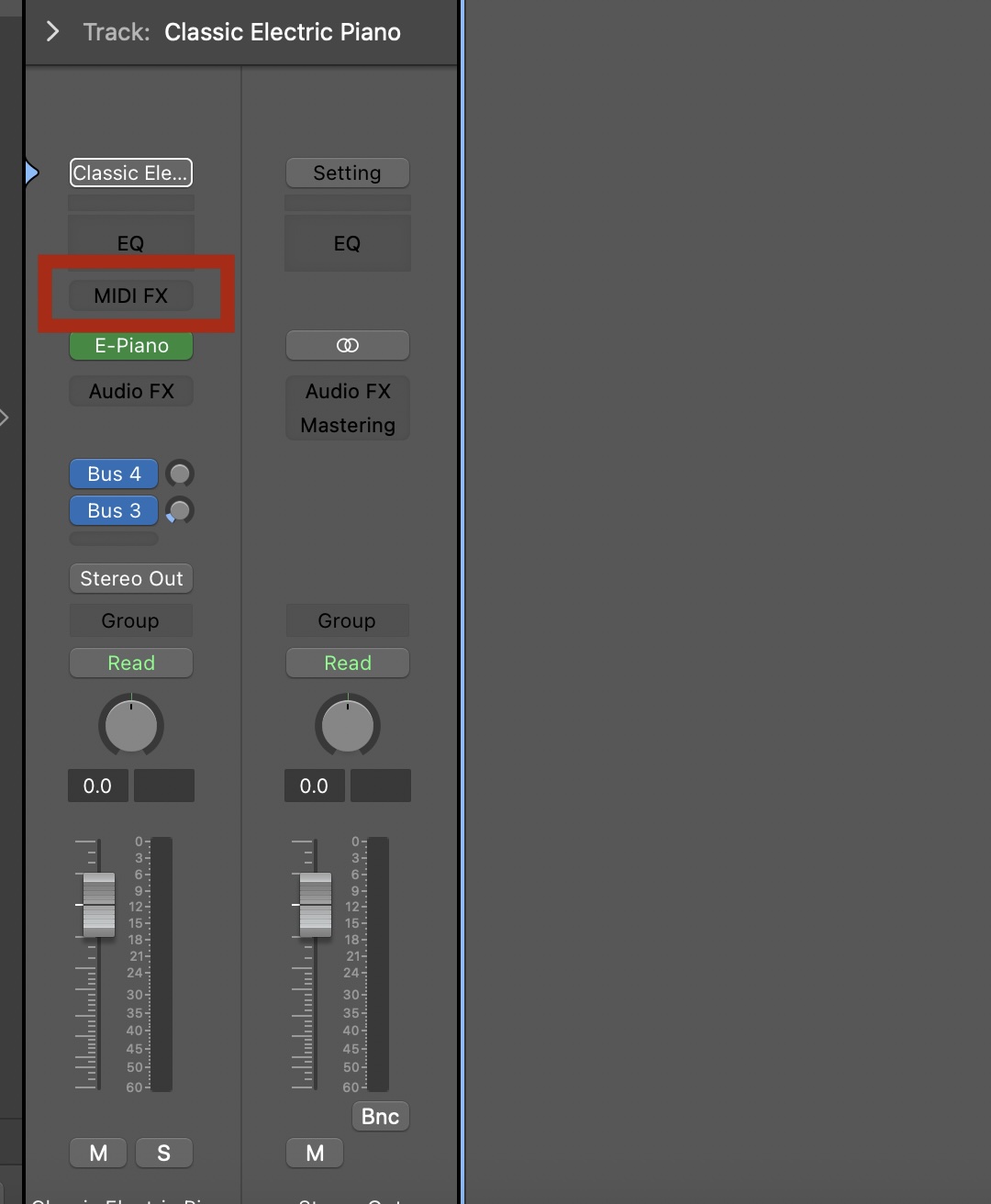
Load Strum Plate in the MIDI FX slot (located above the standard Instrument slot in the channel strip inspector). Do not load it as an Audio FX.

Ableton Live

Ableton Live Setup
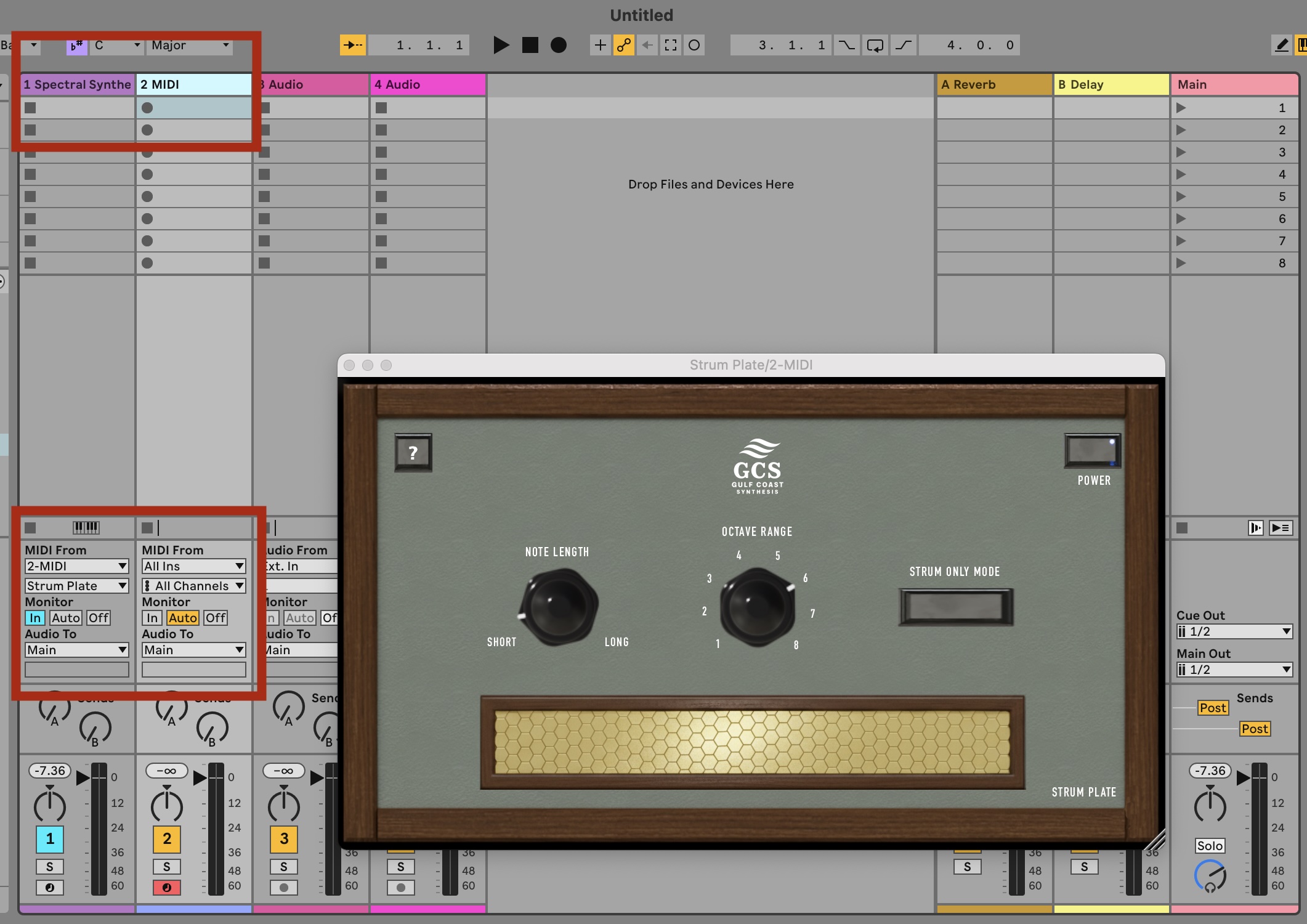
  1. Track 1: Add your Software Instrument. Set Monitor to "In".
  2. Track 2: Create a MIDI Track and add Strum Plate.
  3. Routing: Go back to Track 1 (Instrument). Set "MIDI From" to Track 2 (Strum Plate).
  4. Input Channel: In the dropdown directly below "MIDI From", select "Strum Plate" (Post FX).

Standalone App: GarageBand & Older DAWs

For GarageBand, older Pro Tools versions, or DAWs without MIDI FX support, use the included Standalone Application (MAC ONLY) with a virtual MIDI port (Mac Guide below).

Step 1: Create Virtual Port (Mac)

  1. Open Audio MIDI Setup (Applications > Utilities).
  2. Double-click the IAC Driver icon.
  3. Check "Device is online".
  4. Add a port named "Strum Port".

Step 2: Connect

  1. Open the Strum Plate Standalone app.
  2. Set MIDI Input to your physical keyboard.
  3. Set MIDI Output to "Strum Port".
  4. In GarageBand/DAW, set track input to "Strum Port".

Download Strum Plate

Add organic, human touch to your piano libraries and synths.
Pairs exceptionally well with the GCS Spectral Synthesizer.