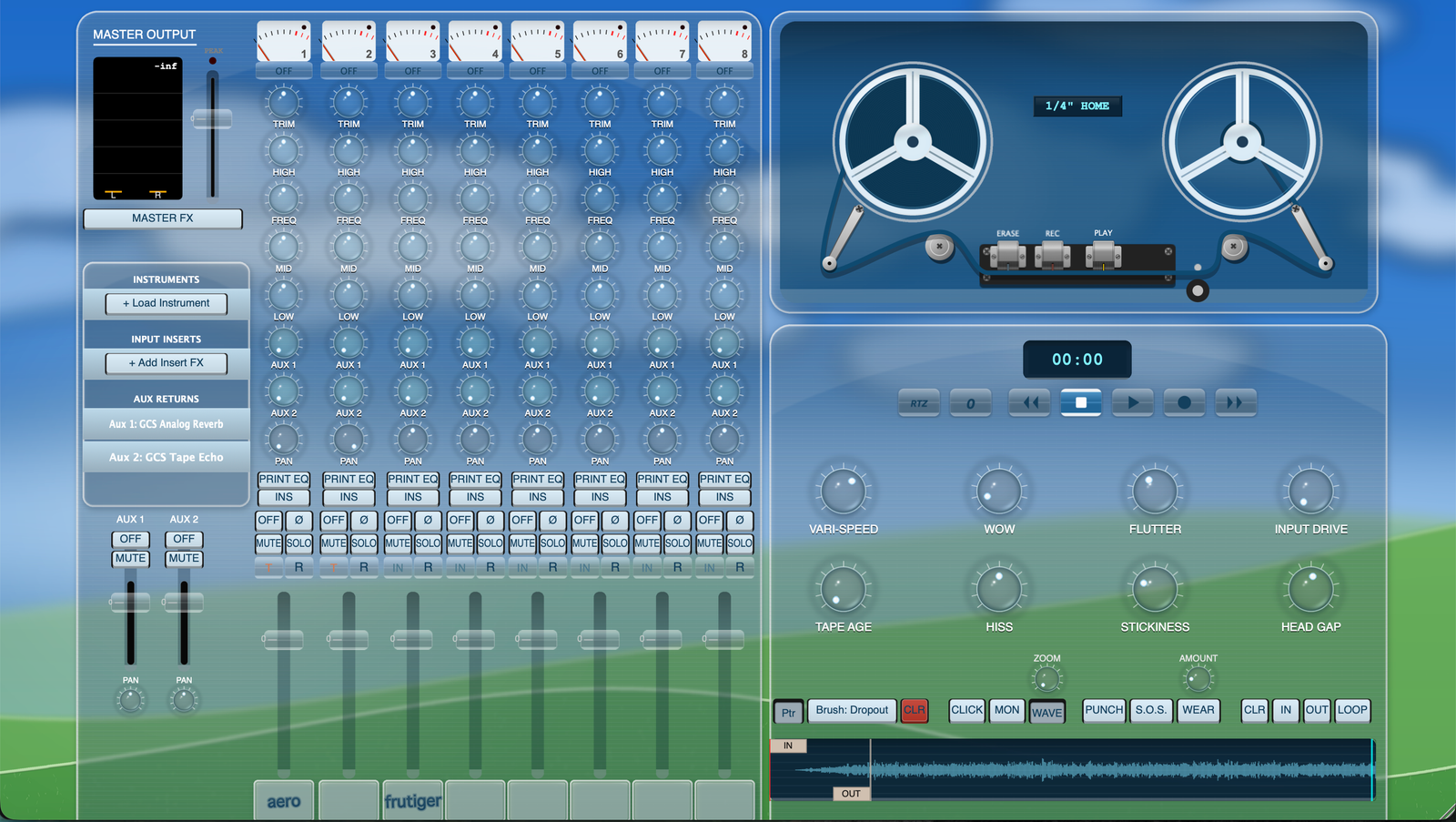
Model 8 · Skins
Skins.
One file repaints the whole machine. Download a skin below, import it in Model 8, and the mixer, the transport and the tape deck all change together. Built one yourself? Send it in.
Available Skins
How to Install a Skin
- Download the .m8skin file. Leave it wherever your browser puts it. There is nothing to unzip and nothing to drag into a system folder.
- Open Model 8 in your DAW, or standalone.
- Go to the main menu at the top of the plugin window, then View › Appearance › Import Skin…
- Pick the .m8skin file you downloaded. Model 8 installs it and switches to it right away.
- Switch back whenever you like. Everything you have installed is listed under View › Appearance, alongside the built-in looks, and Delete Skin in that same menu removes an imported one.
Requires Model 8 v3.0.3 or later. Earlier versions have no Import Skin item in the Appearance menu. If yours does not show it, update first from the downloads page, then come back.
Make Your Own
The skin creator is built into Model 8. It ships switched off, because the tape machine is the point and a full UI editor in the main menu is not what most people want to trip over.
To unlock it, go to Help › Tape Genie… and enter the code superui. The editor then appears at Tools › Custom Skin (Alt Normal UI)…. You load your own artwork one row at a time and the interface updates as you go, then Export gives you a .m8skin anyone else can import.
Skin Templates & Guide
12 assets · PSD + PNG
Every panel at the exact size it has to be, with the guide marks already on it.
Console chassis, glass cover, desk backdrop, device window, knobs, fader caps, transport keys, reel flanges, the masking tape overlay and the rest. Each one comes three ways: a transparent GUIDES PNG to paint underneath, a TRACE PNG showing those marks over the stock artwork so you can match positions, and a layered PSD with both. A framing skin sets the factory crop before you start, and a written guide covers the two or three things that otherwise cost people a rebuild.
Anything you skip keeps the built-in artwork, so a one-file skin is still a real skin. When you have something you like, send it in below.
Submit a Skin
Skins that work get posted on this page with your name on them. Nothing is published without a look first, so give it a day or two.